![99745fd6-afc8-495e-a1a1-c5fa6c1501aa.png]](https://resources.spectotechnology.com/hs-fs/hubfs/99745fd6-afc8-495e-a1a1-c5fa6c1501aa.png?width=300&height=113&name=99745fd6-afc8-495e-a1a1-c5fa6c1501aa.png)
Note: The settings outlined below are suggested defaults and can be adjusted as needed to meet the specific requirements of your project.
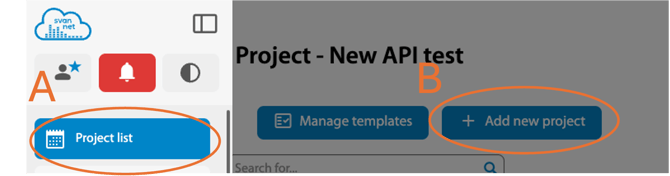
- Set up a new project with the following configurations:
- Automatic Download: Enable.
- Start Date: Set the start date based on the rental agreement or project start date
- Customer’s Company Logo: Use a PNG-formatted image.
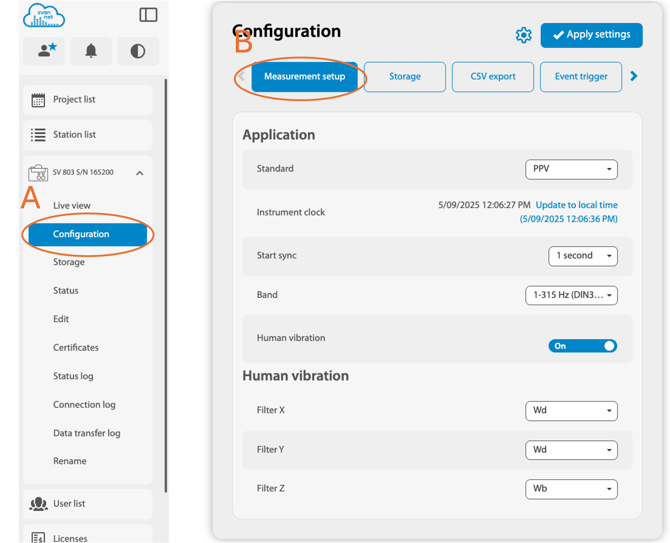
Device Configuration: Use the following standard settings:
Measurement Setup
- Standard: PPV
- Sync Start: 1 second
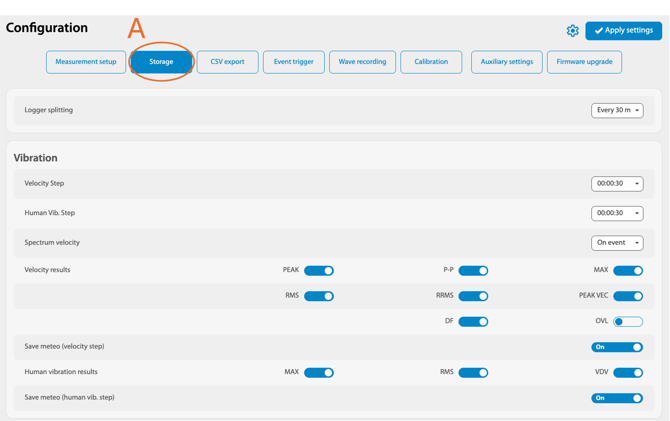
Storage: Enable Vibration results (Storage -> Vibration)
-
- Velocity Results:
- Peak: Enable
- Peak VEC: Enable
- RMS & RRMS: Enable only if needed for the project
- Velocity Results:
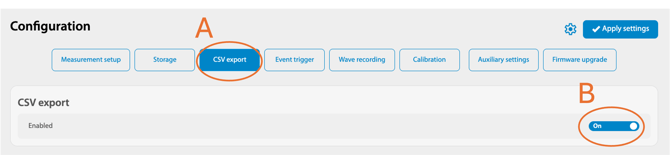
CSV Export: Enable
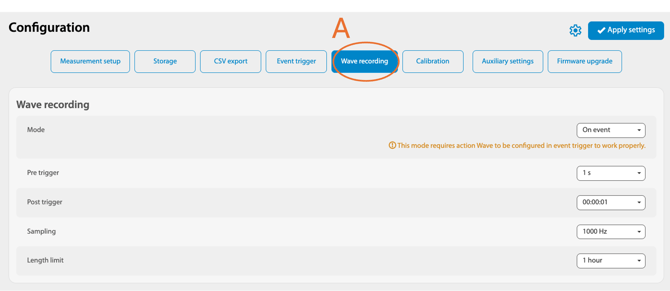
Wave Recording
- Mode: On event.
- Pre-Trigger: 1 second
- Post-Trigger: 00:00:01
- Sampling: 1000Hz
- Length Limit: 1 minute
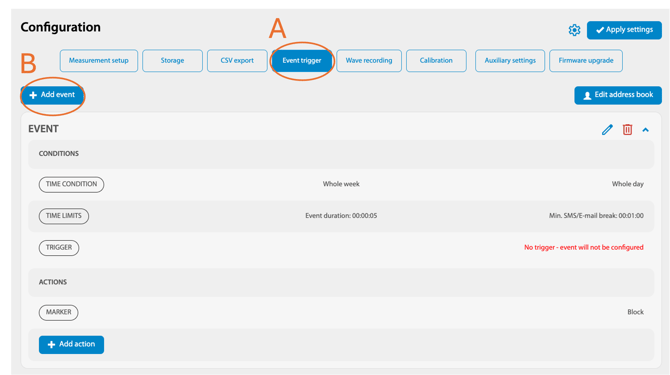
Event Trigger (Obtain trigger levels from the project)
- Go to Add Event -> Threshold Condition -> Trigger
- Threshold Condition: Set trigger levels for X, Y, and Z axes
- Action: Assign a marker
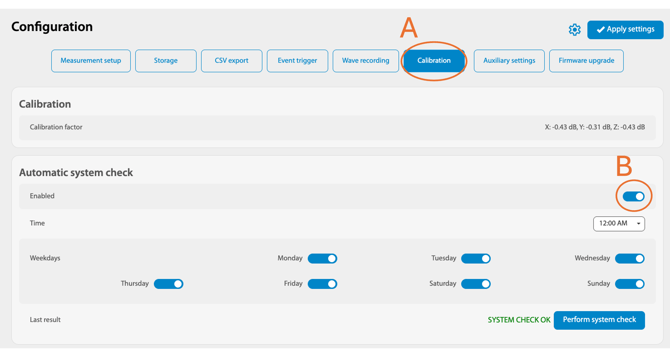
Calibration
- Automatic System Check: Enable
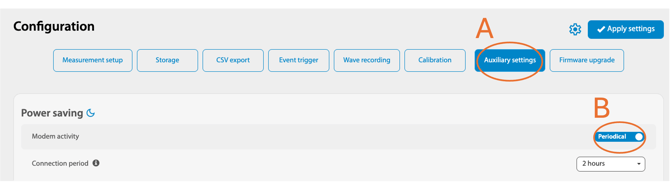
Auxiliary Settings
- Station Name: Provided by the project
- Modem Activity: Periodical
-
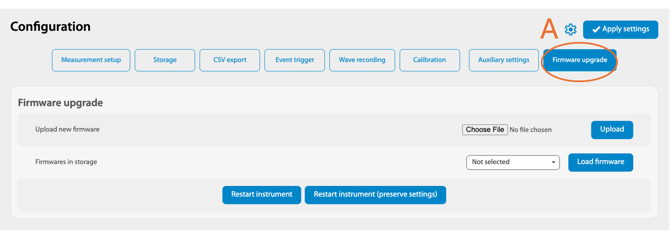
Firmware Upgrade (Perform a firmware upgrade only if required)
- Download the latest firmware from SvanNet.
Set the Connection period to the recommended 4, 6, or 24 Hour period for SV804 due to the reduces battery capacity of the station.
-
Sharing Settings
- Admin: Full access
- Manager: Limited managerial access
- Guest: View-only access
- Add a new report as needed.
- Ensure the support configurations align with the customer account.
Automatic Reporting (Report -> Add new)
Related Links: