![99745fd6-afc8-495e-a1a1-c5fa6c1501aa.png]](https://resources.spectotechnology.com/hs-fs/hubfs/99745fd6-afc8-495e-a1a1-c5fa6c1501aa.png?width=300&height=113&name=99745fd6-afc8-495e-a1a1-c5fa6c1501aa.png)
Note: The settings outlined below are suggested defaults and can be adjusted as needed to meet the specific requirements of your project.
Create a New Project
- Set up a new project with the following configurations:
- Automatic Download: Enable.
- Start Date: Set the start date based on the rental agreement or project start date
- Customer’s Company Logo: Use a PNG-formatted image.
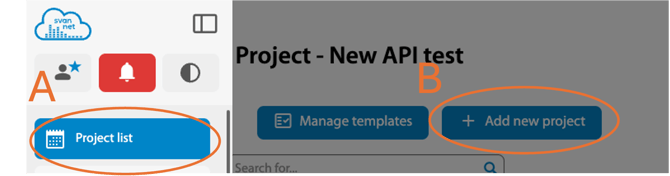
Device Configuration: Use the following standard settings:
Measurement Setup
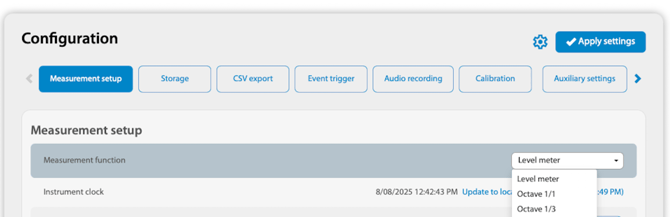 Measurement Function: Level Meter
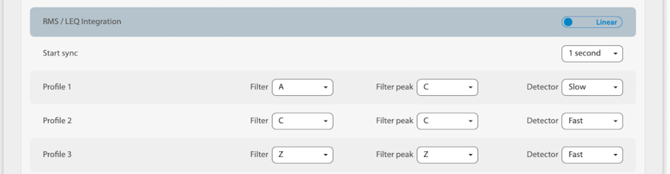 RMS/LEQ Integration: Linear
Profile
Filter & Filter Peak
A, C, and Z weightings are settings on noise meters that adjust measurements to match how people hear sound.
-
- A-weighting
- C-weighting
- Z-weighting
Detector
- Slow: Commonly used for measuring sound levels in workplaces.
- Fast: Used in environmental noise monitoring.
- Impulse: Used for measuring impulsive noise, such as from machinery, gunfire, or explosions, because it captures the peak level of the sound.
 Microphone correction
- Environment
- Airport: Only used for monitoring airport-related noise
Rolling Leq
- Time 1: 15 Minutes
- Time 2: 1 Hour
Storage
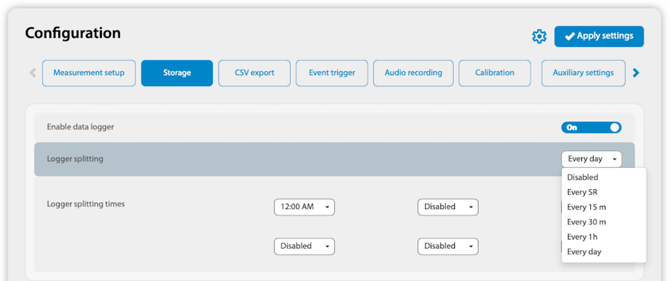
Enable data Logger: On
Logger Splitting: Every day
Logger Splitting Times: Set the times here
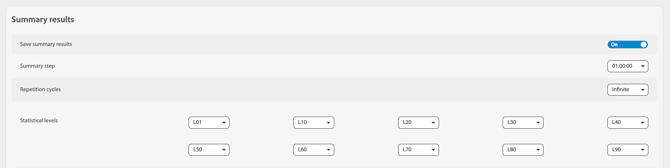
Save summary results: On
Summary Step: 1:00:00
Repetition Cycles: Infinite
Statistical levels
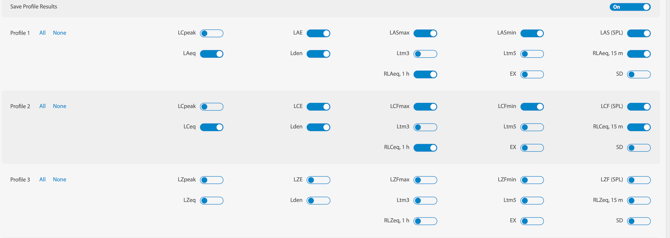
Save Profile Results: On
- Profile 1
- Profile 2
- Profile 3
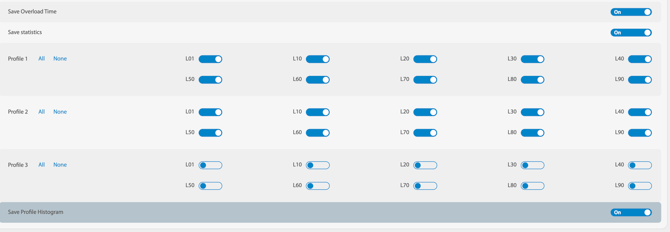
Save Overload Time: On
Save Statistics: On
- Profile 1
- Profile 2
- Profile 3
Save Profile Histogram: On
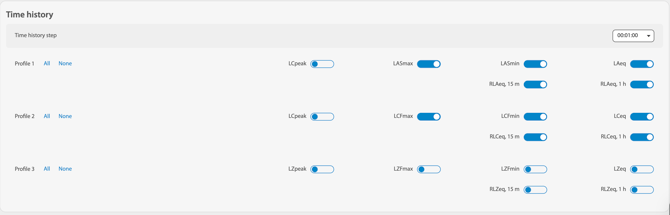
Time history steps: 1:00
- Profile 1
- Profile 2
- Profile 3: Off
CSV Export

Export mode: Multi-line
Date & time formatting:
- Time: 24 hours or 12 hours
- Date: mm/dd/yyyy
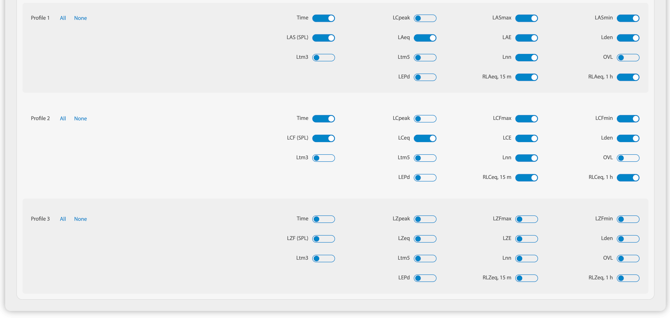
- Profile 1
- Profile 2
- Profile 3: Off
Audio Recording
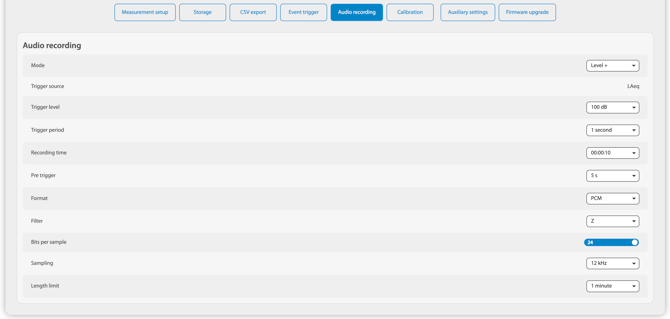
- Mode - Level +
- Trigger Source - 100 dB
- Trigger level - 1 second
- Recording Time - 00:00:10
- Pre trigger - 5 s
- Format - PCM
- Filter - Z
- Bits per sample - 24
- Sampling - 12 kHz
- Length limit - 1 minute
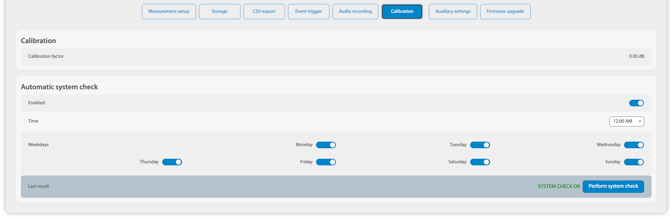
Calibration
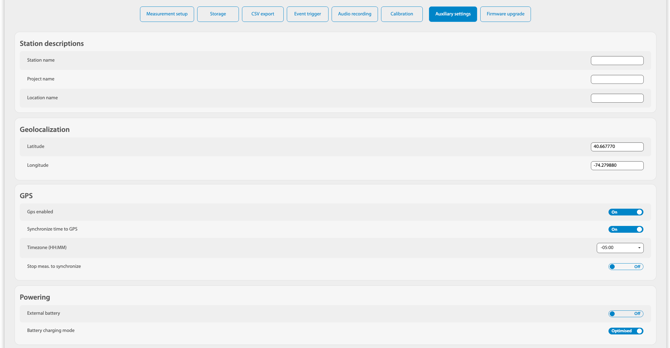
Auxiliary Settings
Firmware Update
To update the Svantek SV307, contact the Specto Technology Support team