![99745fd6-afc8-495e-a1a1-c5fa6c1501aa.png]](https://resources.spectotechnology.com/hs-fs/hubfs/99745fd6-afc8-495e-a1a1-c5fa6c1501aa.png?width=300&height=113&name=99745fd6-afc8-495e-a1a1-c5fa6c1501aa.png)
Make sure your are within range of the Starlink before trying to set a schedule
-
Download the Starlink app by selecting the starlink icon below

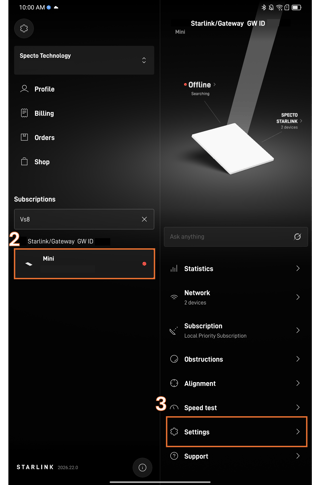
- After logging in to the app, locate and select the Starlink that requires the sleep schedule
- Select Settings
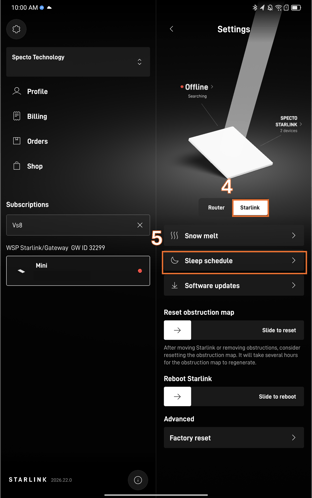
- Select Starlink
- Select Sleep Schedule
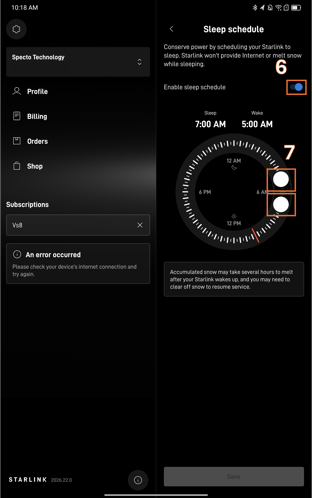
- Toggle the Enable sleep schedule switch to the on position.
- Slide the two knobs around in order to adjust the sleep tom period.