![99745fd6-afc8-495e-a1a1-c5fa6c1501aa.png]](https://resources.spectotechnology.com/hs-fs/hubfs/99745fd6-afc8-495e-a1a1-c5fa6c1501aa.png?width=300&height=113&name=99745fd6-afc8-495e-a1a1-c5fa6c1501aa.png)
Use this guide to take down and pack the Specto Technology tripod-mounted Aeroqual station. Mounts, power supplies, and accessories vary by kit.
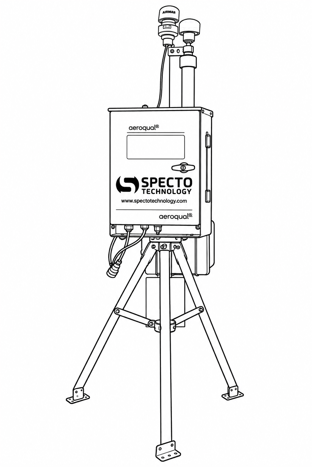
Station overview before disassembly.
Before you begin
- Confirm that monitoring can end and that required data has been saved.
- Follow the shutdown procedure for your Aeroqual model, then isolate all external power sources before disconnecting cables.
- Turn the Aeroqual power knob to the Off position
- Power off external battery
- Open the transport case on a clean, level surface. Have the accessory bag and a container for loose hardware ready.
1. Disconnect and protect the cables
- With power isolated, release each connector’s locking collar or latch, then separate the connector by its body. Do not pull on the cable or force a connector.
- Fit the supplied protective caps to exposed sockets and connectors. Release cable ties or straps so cables cannot snag during removal.
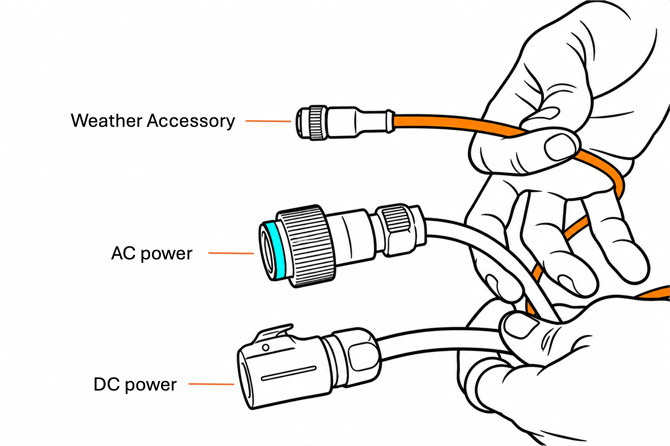
2. Remove the weather sensor, if fitted
- seperate the weather station from the bracket holding it in place.
- Release the sensor’s mounting hardware and lift it clear of its bracket. Do not twist the cable or lift the sensor by its cable.
- Place the sensor and its cable in the Service bag. Retain all mounting hardware.
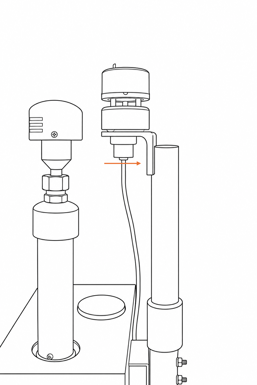
Weather sensor mounting bracket. Support the sensor while releasing its mount.
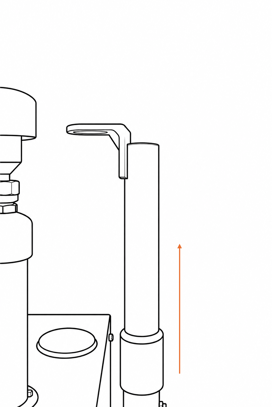
If the weather-sensor support pole must be removed for packing, release its retaining hardware and lift it from its sleeve.
3. Remove the external power pack
- Confirm that the pack is switched off and disconnected from the station and its charging source.
- Support the pack, release its mount or retaining hardware, and lift it clear of the tripod.
- Mini Powermate - Remove from the tripod/fence mount hanger.
- Midi,Maxi, Ultra Powermate - should be resting close to the Aeroqual, and can be moved when its disconnected.
- Close the socket caps and pack the unit in its matching foam compartment.
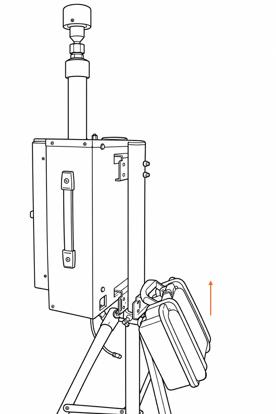
Support the external power pack and lift it clear once its mount is released.
4. Lift the Aeroqual enclosure off the tripod
- Check that every external cable is disconnected and clear.
- Lift the enclosure clear of the brackets. Keep hands clear of pinch points and do not lift by the inlet, sensor head, or cables.
- Place the enclosure into the fitted foam recess.Do not force it into the case.
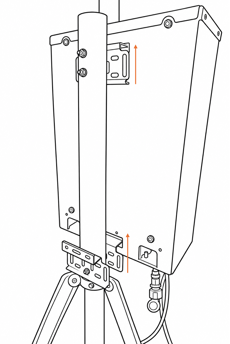
With the enclosure supported and retaining hardware released, lift it clear of the upper and lower brackets.
5. Remove the center pole and fold the tripod
- With all equipment removed, support the center pole and loosen the upper and lower tripod clamp knobs by twisiting the wingnuts counterclockwise. (Be sure to pull the wingnuts away from the tripod while pulling.
- Once loose, pull the pole carefully up and retain the knobs.
- Remove ground fixings or ballast only when the unloaded tripod can be safely supported.
- Fold the legs inward, keeping fingers clear of the hinges and braces. Secure the folded tripod and pole in the long foam recess.
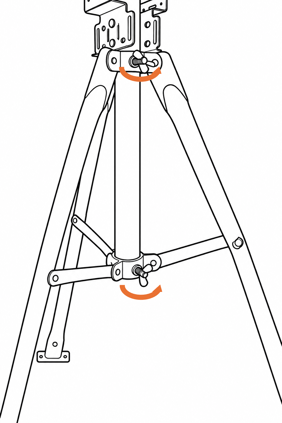
Loosen both center-pole clamp knobs while supporting the pole.
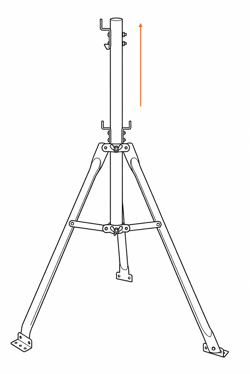
Lift the center pole out after releasing both clamps.
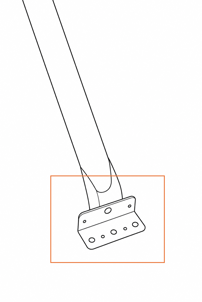
Remove ground fixings from the footplates only after unloading and supporting the tripod.
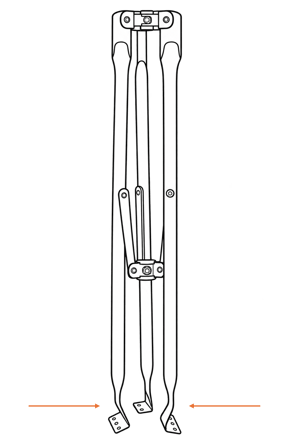
Fold the unloaded tripod legs inward, keeping fingers clear of the braces.
6. Pack and check the kit
- Aeroqual enclosure is supported in its matching foam recess.
- Power pack is switched off, capped, and packed.
- Mini Powermate - Has a designated location in the case.
- Midi,Maxi, Ultra Powermate - Will be packed separately.
- Weather sensor, cables, and loose hardware are protected in the Service bag.
- Tripod and center pole are secured in the long recess.
- All parts are clean and dry; no cables cross the case seal or lie beneath heavy parts.
- The lid closes without pressure on the equipment. Once aligned, close every latch.
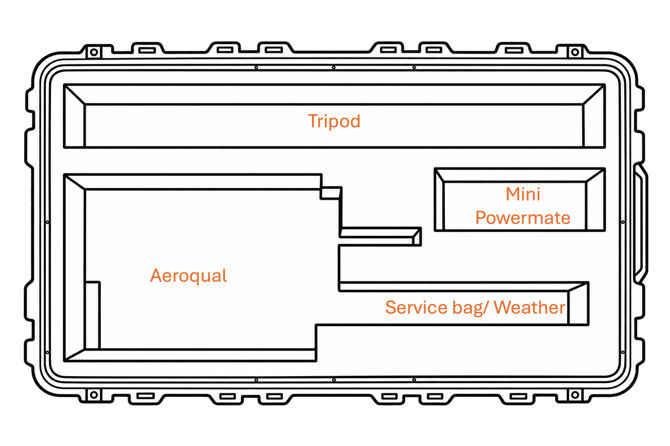
Match each component to its labeled foam compartment.
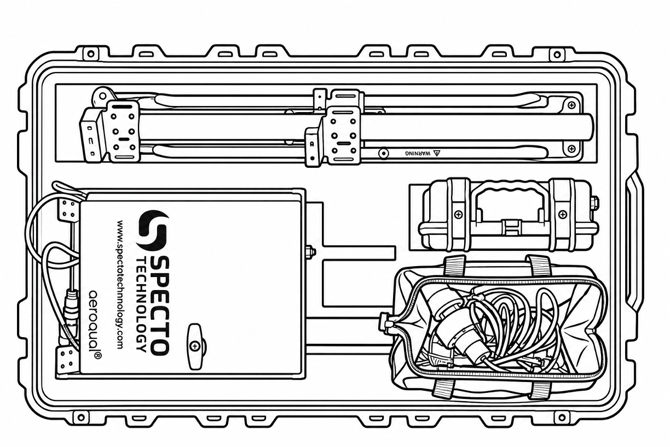
Example of the packed kit. Check that every component is supported and the lid closes freely.
If a mount, connector, or component differs from this procedure, stop and contact Specto Technology before forcing or removing it.
Related: