![99745fd6-afc8-495e-a1a1-c5fa6c1501aa.png]](https://resources.spectotechnology.com/hs-fs/hubfs/99745fd6-afc8-495e-a1a1-c5fa6c1501aa.png?width=300&height=113&name=99745fd6-afc8-495e-a1a1-c5fa6c1501aa.png)
The Delta Link enclosure includes several ports for power, communications, and antenna connectivity.
-
Bottom ports (1–5) are used for data communication and power cables.
- The top ports (6–8) are used for antennas.
Each connection uses a specific connector type or adapter to ensure the system communicates properly with external devices.
Be sure to Align the key way connectors before tightning any connector.
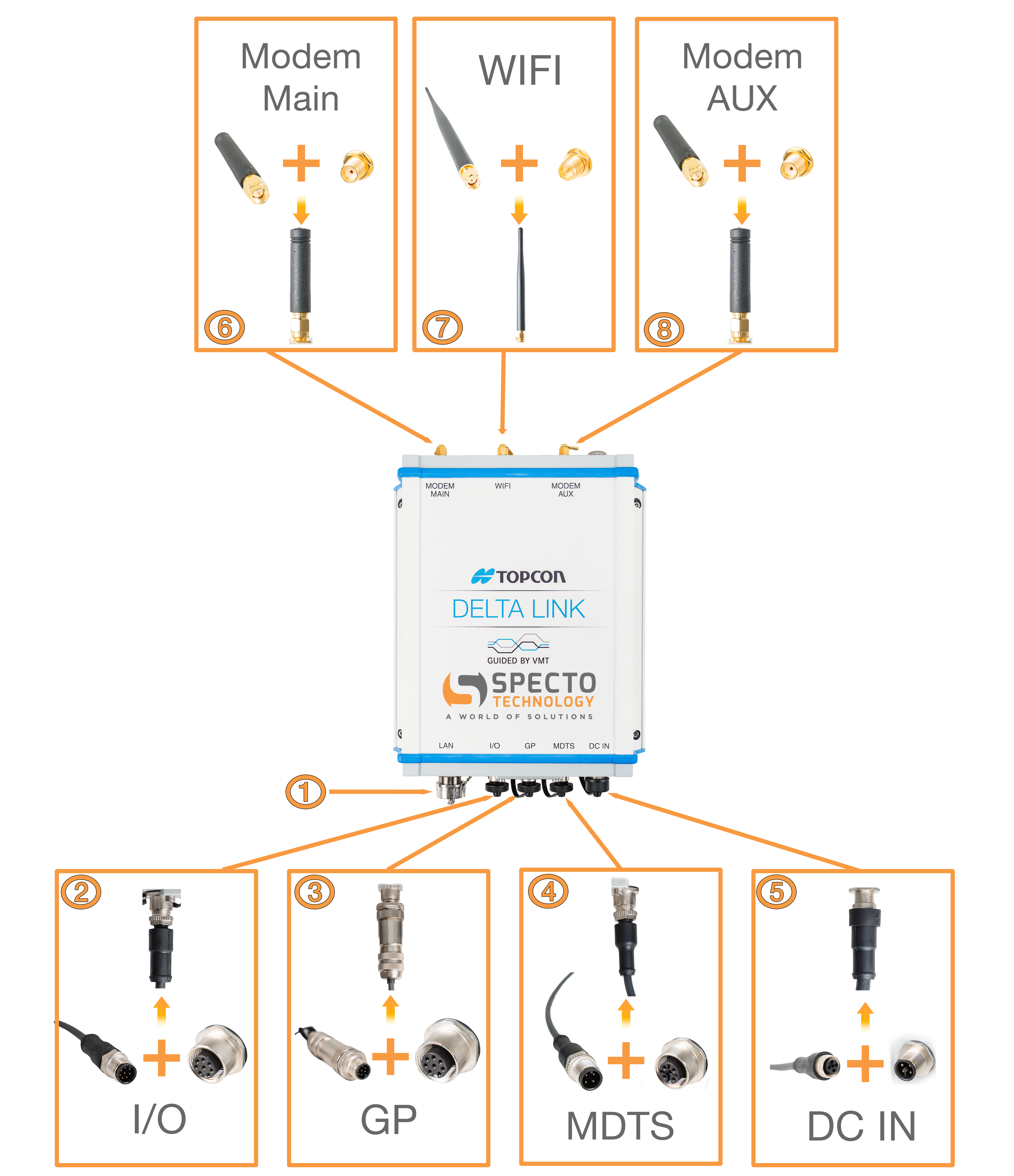
1. LAN - LAN Socket
It is possible to connect the PC directly to the Delta Link box via a LAN connection
2. I/O - Connection for Future sensors. Ex. Autolevel Tribrach
3. GP - Connection for THP(Temperatrue, Humidity, Pressure) sensor
4. MDTS - Connection for the Total Station
5. DC IN - DC power supply
6. MODEM MAIN - 4G antenna
7. WIFI - Connection to Wi-Fi antenna
8. MODEM AUX - AUX antenna. Provides secondary cellular support to improve signal reliability and network performance
Ensure all connectors are firmly tightened to maintain stable communication and environmental protection, especially for outdoor deployments.