![99745fd6-afc8-495e-a1a1-c5fa6c1501aa.png]](https://resources.spectotechnology.com/hs-fs/hubfs/99745fd6-afc8-495e-a1a1-c5fa6c1501aa.png?width=300&height=113&name=99745fd6-afc8-495e-a1a1-c5fa6c1501aa.png)
Whats needed:
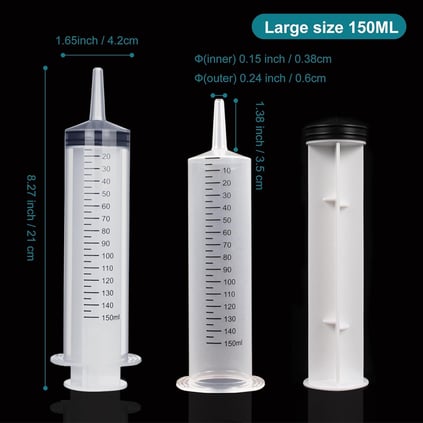
- A 150 mL plastic syringe (no needle)
- Typically used for thick liquids such as paint or feeding
- Should resemble the syringe shown in the reference image
Do not use a syringe with a needle. This process only requires airflow
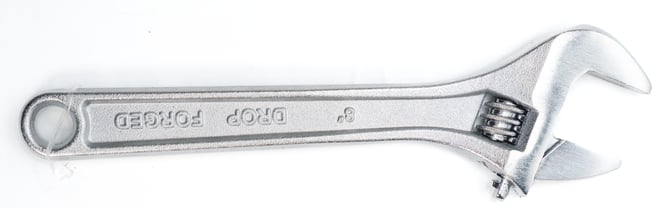
- Adjustable Wrench
To clear the fouling error on the PCX module, please follow the steps below:
Steps
Handle all internal components with care to avoid damage
- Begin by powering off the station.
- Once the station is powered off, Locate the TSP inlet at the top of the station and remove the inlet at the top of the station by loosening the hex swage lock nut.
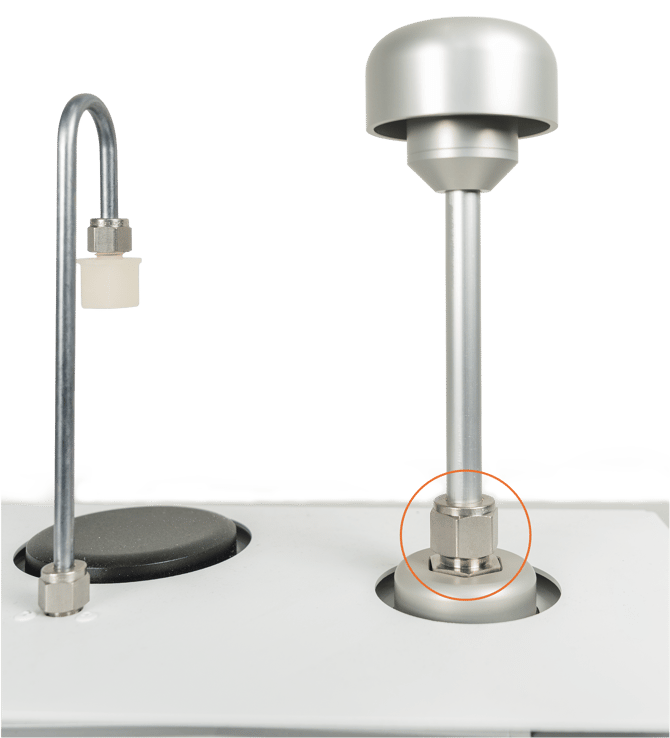
- Next, Open the AQS and locate the PCX module. Loosen the thumb screw and carefully remove the filter.
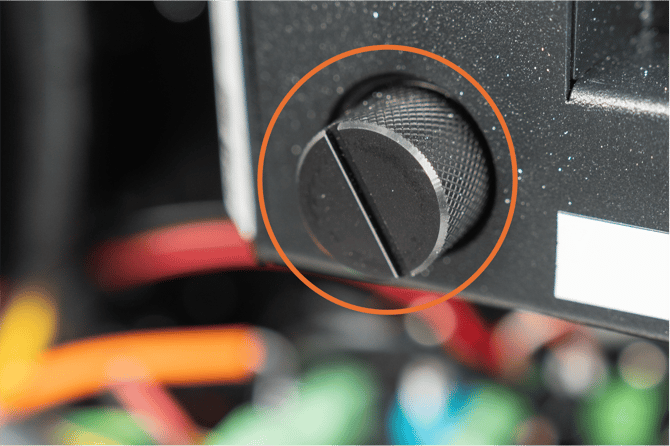
- Place your finger inside the filter socket and feel along the right side for a small hole.
This prevents damage to the internal flow sensor during the cleaning process.
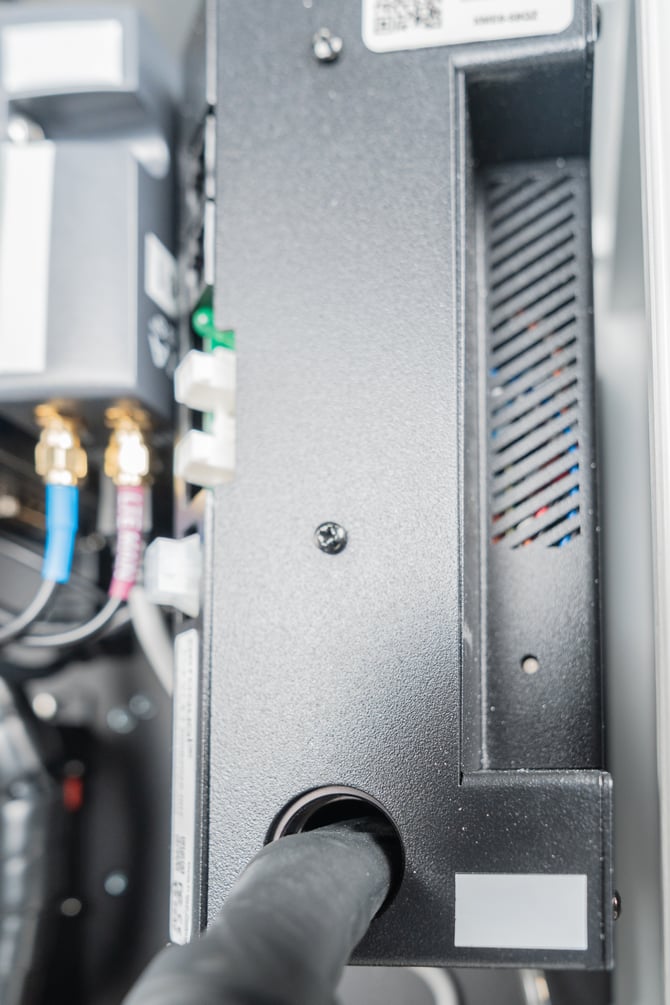
- Fully extend the syringe prior to placing it ontop of the inlet. Place it at the top of the station where the TSP inlet was previously installed, with the plunger facing upward
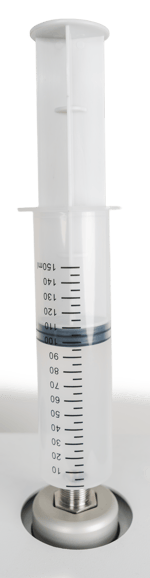
- While keeping one hand covering the hole inside the filter socket:
- Use your other hand to push down on the syringe
- This will force air through the PCX module
- Repeat this process several times to help clear any internal buildup.
Apply steady, controlled pressure when pushing the syringe.
- Remove the syringe and reinstall the TSP inlet. Tighten the hex swage lock nut securely.
- Place the filter back into the PCX module and tighten the thumb screw.
- Once the station is online:
- Navigate to the Diagnostics tab
- Check the Error Status to confirm the fouling error has been cleared
If the issue persists, please contact the Specto Technology Support team at support@spectotechnology.com